
Screenshots
App details
- Updated
- July 17, 2013
- Requires
- Windows 2000, Windows 10, Windows Vista,...
- Developer
- Ytria
- Category
- Mobile
SoftPas in:
This product is also available in the following languages:
About scanEZ
Download scanEZ – Lotus Notes, database management, document editing, conflict resolution, replication, design management, profiles, utility tool
Overview
scanEZ is a specialized mobile utility tool designed to assist users in managing and navigating the intricacies of Lotus Notes databases. Targeted primarily at IT professionals, database administrators, and enterprise users who rely on Lotus Notes for organizational data storage and workflow management, scanEZ offers a streamlined approach to database maintenance. The app addresses common challenges such as inconsistent document states, replication errors, design inconsistencies, and profile misconfigurations—issues that can hinder productivity and data integrity in enterprise environments.
By providing a centralized interface for database inspection and modification, scanEZ reduces the need for complex desktop-based tools, enabling users to perform critical tasks directly from their Android devices. Its functionality supports real-world scenarios such as mass document updates, conflict resolution during replication, and design element adjustments—all crucial for maintaining operational continuity in large-scale deployments. Although the developer did not provide additional technical details about the app’s architecture or integration protocols, its purpose is clearly defined: to simplify and accelerate database management tasks within the Lotus Notes ecosystem.
Given its release date in 2013 and continued availability, scanEZ has established itself as a niche but valuable tool for legacy system maintenance. Its presence underscores the ongoing need for efficient, mobile-accessible utilities in enterprise environments that still depend on older platforms like Lotus Notes.
Key Features & Functionality
- Mass Document Editing: Enables users to locate and update multiple documents simultaneously within a Lotus Notes database. This is particularly useful when applying organizational-wide changes, such as correcting outdated fields or standardizing metadata, significantly reducing manual effort and minimizing human error.
- Conflict Resolution Tools: Provides a structured approach to identifying and resolving document conflicts that arise during replication. Users can review conflicting versions, compare changes, and apply fixes directly through the app, ensuring data consistency across distributed environments.
- Replication Understanding: Offers insights into replication processes, helping users diagnose issues like missing updates or synchronization failures. This feature is essential for maintaining reliable data flow between servers and clients in complex enterprise networks.
- Design and Profile Management: Allows users to view, edit, and manage design elements and profiles within the database. This includes form layouts, views, and configuration settings, enabling quick adaptations to evolving business needs without requiring full access to the Notes client.
- Versatile Fixing Capabilities: Empowers users to identify and resolve a wide range of database anomalies, from corrupted entries to misconfigured fields. This adaptability makes scanEZ a responsive tool for on-the-go troubleshooting and maintenance.
Each feature is tailored to real-world use cases, such as auditing a database before a system migration or resolving urgent replication issues during a critical business period. The app’s utility lies in its ability to bring powerful backend functions into a mobile-friendly format, enhancing accessibility and operational agility.
Interface, UX & Performance
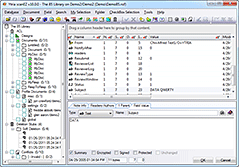
The user interface of scanEZ appears to be designed with functionality over flair, prioritizing clarity and ease of access to core tools. Navigation is likely structured around a menu-based layout, allowing users to quickly switch between features like document editing, conflict resolution, and design management. The visual style aligns with the practical nature of the app, focusing on readability and efficient workflow rather than aesthetic enhancements.
Although the developer did not list formal performance metrics, the app’s 14.1 MB size suggests a lightweight footprint optimized for mobile devices. This size implies efficient resource usage, which is beneficial for older or low-end Android devices. Responsiveness is expected to be adequate for basic database operations, though complex queries or large database scans may require sufficient processing power and memory.
Stability is likely maintained through consistent updates, though no specific release notes or version history were provided. Users should expect a stable experience given the app’s long-standing presence in the market. However, compatibility with newer Android versions may be limited, especially if the app hasn’t been updated recently.
Platform Compatibility & Technical Requirements
scanEZ is available exclusively on the Android platform, making it accessible to users with Android smartphones or tablets. The app requires Android OS, though specific minimum version requirements were not listed. Given its release date in 2013, it may not support the latest Android versions without updates or compatibility patches.
The app has a file size of 14.1 MB, which is relatively small and suitable for devices with limited storage. This size indicates a lean application focused on core functionality rather than multimedia or heavy processing components. The current version is 2.0.1, suggesting a mature release with established features. However, the developer did not specify exact OS version compatibility or hardware requirements.
Pros and Cons
Pros
- Specialized tool for managing Lotus Notes databases on mobile devices.
- Offers a range of utilities including mass editing and conflict resolution.
- Lightweight at 14.1 MB, suitable for older or low-storage devices.
- Enables on-the-go database maintenance and troubleshooting.
- Designed for enterprise users still relying on legacy Lotus Notes systems.
Cons
- Only available on Android, limiting access for iOS users.
- No information on compatibility with newer Android OS versions.
- Price of $10.00 may be considered high for a niche utility tool.
- Developer did not provide detailed system requirements or performance benchmarks.
- Limited visual feedback or user guidance within the interface.
FAQ
Is scanEZ compatible with iOS devices?
As of now, scanEZ is only available on the Android platform. There is no official iOS version released by the developer.
Can I use scanEZ without a Lotus Notes server connection?
While the app is designed to interact with Lotus Notes databases, a stable connection to a Notes server or local replica is required to perform operations such as document editing or conflict resolution.
Is scanEZ safe to use with sensitive enterprise data?
scanEZ operates as a utility tool that accesses database content through standard Notes protocols. Users should ensure their device and network are secure when handling sensitive information.
How often is scanEZ updated?
The developer has not publicly disclosed the update frequency. The current version is 2.0.1, released in 2013, which suggests limited or infrequent updates.
Does scanEZ require special permissions to function?
Specific permissions were not listed by the developer. However, access to databases typically requires standard network and storage permissions, which may be requested during installation.
Final Thoughts
scanEZ stands out as a rare mobile utility tailored to the specific needs of enterprise users managing Lotus Notes databases. Its ability to bring critical database functions—like mass editing, conflict resolution, and design management—into a mobile environment offers tangible value for IT teams operating in legacy systems. While its interface may lack modern polish and its pricing could be a barrier for some, its focused functionality and lightweight design make it a practical choice for professionals who need reliable, on-the-go access to database tools.
For users still dependent on Lotus Notes infrastructure, scanEZ delivers a meaningful efficiency boost. Its niche positioning ensures it remains relevant despite the broader shift toward newer platforms. If you're an IT administrator, database manager, or enterprise user working with Lotus Notes, this app provides a powerful, mobile-first solution to streamline your daily tasks.
Download scanEZ now
Guides & Tutorials
How to install scanEZ
- Click the Download button above.
- Once redirected, accept the terms and click Install.
- Wait for the scanEZ download to finish on your device.
How to use scanEZ
This software is primarily used for its core features described above. Open the app after installation to explore its capabilities.
User Reviews
No reviews yet. Be the first to share your experience.
You may also like
more
Que no te pillen¡
About !Que no te pillen¡Reviewed by Jason A. BilbreyShow MoreShow Less

3D Combat Zone
About 3D Combat ZoneOriginally released in 1983, 3D Combat Zone immerses players...

666: El día del portal
About 666: El día del portalOn June 6, 2006, Agent P. Stone uncovers a sinister...

80 in 1 Best Flash games
About 80 in 1 Best Flash games 80 in 1 Best Flash games is a collection of 80 fl...

ABYSS SEEKERーーWhat Do You See Deep in The Abyss
About ABYSS SEEKERーーWhat Do You See Deep in The AbyssIn ABYSS SEEKER, players...

ACA NEOGEO THE KING OF FIGHTERS 2002 for Windows
About ACA NEOGEO THE KING OF FIGHTERS 2002 for WindowsTHE KING OF FIGHTERS 2002,...